Your Black Friday deals are picked — now comes the part that decides whether the weekend makes money or makes a mess: setting the deals up. A deal that is live, priced from margin, matched to stock and tested before the rush sells itself. A deal set up in a hurry on Black Friday week — when the deal tools are busy, the stock is thin and nobody has tested anything — is how buyers find a broken coupon on the biggest day of the year. This guide walks through the setup for Amazon, eBay and Etsy: pick the products, price them from margin, put the deal live on each marketplace, match the stock, and test it like a buyer.
Black Friday 2026 is Friday, November 27, and Cyber Monday is Monday, November 30. Setting up deals means picking a few best-sellers, pricing each one from the margin left after fees, shipping and returns, putting the deal live on each marketplace, matching stock to it, and testing it like a buyer — all before the rush.
In this guide
Start with the products, not the discount. The best Black Friday deals are built on the products that already sell: best-sellers with steady orders, good reviews and stock you can fulfil. A deal on a best-seller brings buyers who already wanted it; a deal on a slow product brings a discount nobody was waiting for.
Pick three to five products — enough to give buyers a real choice and small enough to set up properly on every marketplace, match stock to, and watch through the weekend. A whole store on sale spreads the discount too thin: every listing needs checking, every price needs working out, and the products that never sold still do not sell — they just earn less.
Leave out anything with a thin margin, unreliable stock, or anything you cannot fulfil fast at volume. A product that barely earns after fees, shipping and returns loses money on every order once discounted — and Black Friday brings more of those orders, not fewer. Leave out new listings with no reviews too: buyers choose the deal they trust, and a listing with no history rarely wins the weekend.
The most expensive Black Friday mistake is pricing from the sale price instead of from the margin. A deep discount sounds like a plan until the maths is done — and the maths has to be done per product, because every product has different costs.
Work it in this order: sale price, minus sourcing cost, minus shipping cost, minus the marketplace fee, minus a returns allowance — what is left is the margin, and the margin is what the discount comes out of. If the margin is gone before the discount, the sale loses money on every order. Write the margin down for each product before you set anything live.
Illustrative example, with round numbers: a product that sells for $50, costs $20 to source and $8 to ship leaves $22 before the marketplace fee and any returns. That $22 — not the $50 — is what the discount comes out of. A $10 discount leaves $12; a $20 discount leaves $2. The same discount on a different product leaves a different margin — so price each product from its margin, and write it down.
Amazon, eBay and Etsy do not set deals up the same way. Each one has its own tools — coupons, sale prices, store offers — in its own place, with its own rules about what a deal can say and when it can run. Set the deal up on each marketplace separately, then check it on each one: a deal live on one marketplace and forgotten on the others is half a sale.
On one marketplace the deal may be a coupon a buyer clicks at checkout; on another a sale price on the listing itself; on a third a store offer across chosen listings. Pick the tool that fits the marketplace and the product: a coupon suits a single best-seller, a sale price suits a clear discount buyers can see at a glance, and a store offer suits a small group of products sold together. Set it up the same way on every marketplace where the product sells — same discount, same dates, same products.
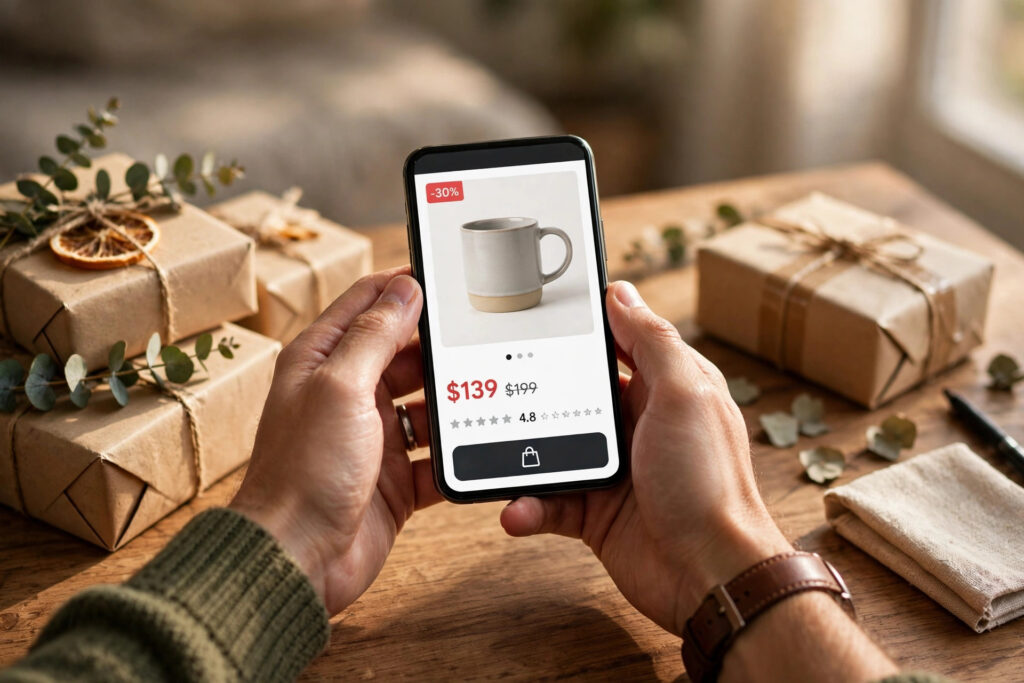
Setting a deal up is not the same as the deal showing. After setup, open the listing as a buyer would: does the price read correctly, does the coupon appear, does the offer show where a buyer will see it? If it does not show, the setup is not finished — check the
settings on that marketplace and fix it now.

A deal without stock is a promise the store cannot keep. Black Friday brings more orders than a normal day, and the best-sellers — the very products on deal — are the ones that sell out first. Stock and listings have to be matched to the deal before it goes live, not discovered on the day.
Work out how much of each deal product you can fulfil through the weekend, and set the stock to match. A best-seller that sells out on day one earns nothing for the rest of the weekend. If stock is limited, say so honestly in the listing and set the deal to match what you have.
Before the weekend, read each deal listing as a buyer would: photos clear, title accurate, price and discount reading correctly, and the description answering the questions buyers ask — delivery, returns, gift options.
Testing is the step most sellers skip, and the one that catches the most problems. A deal that looks right in the seller dashboard can still read wrong to a buyer — a coupon that does not apply, a price that does not match the discount, a listing that shows the old price.
Open the listing, click the deal, add the product to the basket, and read every line the buyer sees: the price, the discount, the coupon, the delivery estimate, the returns note. If anything reads wrong, fix it now, while there is time.
Every fix found in testing is a fix that does not have to happen during the weekend, when the team is packing orders and the messages are flooding in. Keep a short list of what you tested and fixed.
The setup is not a single day’s work; it is a run-up. From November 11 to November 27 there are sixteen days, and each week has its own job.
Pick the products and write the margins first, then set the deals up on each marketplace and check they show. After that, match the stock and finish the listings. In the final days, test everything once more as a buyer.
Once the deals are live, watch two things daily: stock and messages. Stock, because a best-seller running low needs a decision before it sells out; messages, because buyers ask where their order is and when it will arrive — and fast, correct replies keep the sale.
The table below is the whole system on one page.
| Step | What to do | Done when |
|---|---|---|
| Pick | Choose 3–5 best-sellers | Each one earns after fees, shipping and returns |
| Price | Price from margin, not from the sale price | The margin per order is written down, not guessed |
| Set up | Put the deal live on each marketplace | The deal shows to a buyer on every marketplace |
| Stock | Match stock to the deal | A best-seller cannot sell out on day one |
| Test | Click everything as a buyer would | Coupon, price and listing all read correctly |
Work the checklist in order.
“Deals set up early sell. Deals set up late scramble.”
Setting up Black Friday deals is not a separate job from the rest of the store — it is where pricing, listings, stock and fulfilment all show up at once. High Dreams LLC helps sellers with store setup, product listing, and store management on Amazon, eBay, and Etsy, with deal setup and pricing included.
High Dreams LLC manages Amazon, eBay, and Etsy stores for sellers who want the work done properly: listings, pricing, returns, ads, and the order handling behind them. We work across Amazon, eBay, and Etsy dropshipping, plus digital services — so a deal is set up against real marketplace steps and buyer behaviour.
How many products should I discount?
A few best-sellers, 3–5, priced from margin; a whole store on sale spreads the discount too thin.
How deep should the discount be?
Deep enough to move buyers, shallow enough to keep margin after fees, shipping and returns — work it out per product.
Do I set the deal up the same way on every marketplace?
No: coupons, sale prices and store offers differ by marketplace, so set each one up and check it shows.
What if a deal does not show to buyers?
Check the setup on that marketplace and test it as a buyer; fix it before the weekend, not during it.
Can High Dreams LLC set this up for my store?
Yes: message the page for a free store check covering deals, listings, pricing and Black Friday readiness.
Black Friday is 16 days away, and the deals are picked. Pick the best-sellers, price them from margin, set them up on every marketplace, match the stock, and test them like a buyer — or message the page for a free store check, and we will set them up together.
Related Reading: Read our guides to Black Friday & Cyber Monday 2026 for marketplace sellers, how AI agents handle Black Friday customer messages, e-commerce order fulfilment, and Etsy Ads vs Offsite Ads: how to decide what’s worth it.